
Automation Partners Ai LLC Help Center & AI Academy
Learn, build, and scale your business with Automation Partners Ai AKA APAi apps, step-by-step with no tech skills required.
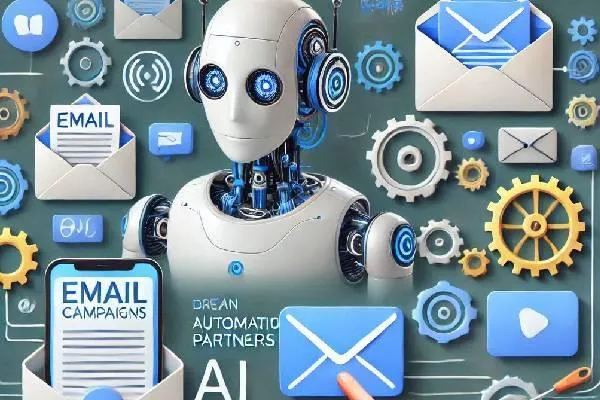
Step-by-Step Guide to Setting Up Email Campaigns in Automation Partners AI
How to Set Up Your Email Campaigns in Automation Partners AI
Introduction
Email campaigns are one of the most effective ways to reach your audience and drive conversions. With Automation Partners AI, setting up email campaigns is intuitive and seamless. In this guide, we’ll walk you through the steps to create and launch your first email campaign to maximize engagement and results.
Step 1- Access the Email Campaigns Section
Log in to your Automation Partners AI account.
Navigate to the Marketing tab in the dashboard.
Select Email Campaigns from the dropdown menu.
This will open the email campaign builder where you can start creating your email sequence.
Step 2: Create a New Campaign
Click the + New Campaign button.
Enter a campaign name (e.g., "Welcome Series" or "Holiday Promotion").
Choose a campaign type:
Broadcast: For one-time emails to your entire list.
Drip: For automated sequences sent over time.
Triggered: Based on specific user actions.
Step 3- Design Your Email
Choose a Template: Automation Partners AI offers pre-designed templates for various industries.
Customize Content:
Add a compelling subject line (keep it under 50 characters).
Write engaging email copy that speaks to your audience.
Add images, links, and CTAs (calls-to-action) to encourage user interaction.
Preview and Test: Always use the Preview option to see how your email looks on desktop and mobile.
Step 4: Define Your Audience
Go to the Recipients section.
Use segmentation tools to target specific audience groups based on demographics, behavior, or interests.
If you’re importing a contact list, ensure it’s cleaned and free from duplicates to avoid spam issues.
Step 5: Configure Sending Settings
Schedule the Campaign: Choose whether to send the campaign immediately or schedule it for later.
Set Throttling (optional): If sending to a large list, throttle emails to avoid spam filters.
Verify the From Email and Reply-To Email addresses are configured correctly in your settings.
Step 6: Launch the Campaign
Double-check all settings, preview the email again, and confirm the recipient list.
Click Launch Campaign.
Monitor the campaign’s performance in the Analytics section to track open rates, clicks, and conversions.
Pro Tips for Better Campaigns
Personalization: Use placeholders for names or other user data to make emails feel personal.
A/B Testing: Test different subject lines or email designs to see what resonates best with your audience.
Follow-Up: Set up follow-up emails for non-responders to increase engagement.
Conclusion
With Automation Partners AI LLC, creating and managing email campaigns is straightforward and efficient. By following this guide, you’ll be able to set up and optimize campaigns that drive results and foster stronger customer relationships.
Start building your email campaign today and see the difference Automation Partners AI can make in your marketing strategy!

Contact Us
Automation Partners Ai
11 Chatham Drive, Middlebury CT 06762
About US


